How it works · from the estimate to paid
The rest of your day, handled. …one app, from the first estimate to paid.
Quote from the yard, put the day in driving order, finish the visit with the invoice already built, and get paid before you leave the driveway.
Free to use, no matter your size.
The short answer
Service Penguin is free software for lawn care and outdoor service businesses. You send the estimate from the property, the customer approves it on their phone, the approved estimate becomes the job, and the customer pays in their app or with Tap to Pay on iPhone at the job. $0 a month, every feature, every user.
- Quote
- from the yard
- Approve
- on their phone
- Schedule
- in driving order
- Paid
- at the job
Step 1 · Win the job
Quote it from the yard. They approve it on their phone.
The fastest estimate usually wins the job.
- Built at the property Line items, options, discounts and tax.
- Sent as a secure link They open it on any phone.
- Deposits agreed Right on the estimate.
- See when they open it And the moment they approve.
- Automatic follow-ups Not opened? Not decided? We nudge them.
- Approved becomes the job Nothing retyped.
Send the estimate while you are still in the yard.
Just your email to start. $0 a month.
Step 2 · Plan the day
The day in driving order. Rain days in one button.
Repeat visits set up once. Your week fills itself in.
- Repeat visits, set once Weekly, every two weeks or seasonal.
- Driving order One button puts the day in order.
- Find an opening Every open day for a new job.
- Rain day, one button Every visit comes up with the days it fits.
- Arrival times, sent Every morning, on their own.
- Crews when you hire Helpers see their visits, not your prices.
A rain day does not have to cost you Saturday.
Just your email to start. $0 a month.
Step 3 · Do the work
Finish the visit. The paperwork is already done.
No second shift at the kitchen table.
- Invoice built from the work Mark it done. Nothing retyped.
- Photos on the visit Before and after, kept with the job.
- Every property remembers Notes, gate codes and history.

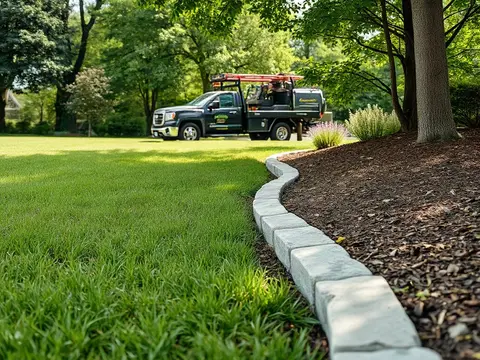

Nothing retyped
- Summary in one tap Your photos and what you recommend.
- They ask for the next job One tap on Request quote.
- Profit on every job Cost and margin, without a spreadsheet.
Step 4 · Get paid at the job
You did the work. Get paid in the driveway.
Every day between done and paid, you are the bank.
- Tap to Pay on iPhone No card reader to carry.
- Contactless on Android The same tap, any card.
- Card saved The next payment is one tap.
- Autopay For your regulars, with their consent.
- Not home? They pay from their phone. Card or bank.
- No check in the mail No invoice to chase.
Get paid before you leave the driveway.
Just your email to start. $0 a month.
Step 5 · Stay in touch
Your business, on their phone.
Every customer gets a free app with your business in it.
- Arrival times Sent every morning, on their own.
- One thread with you Your number stays private.
- A summary after every visit With your photos.
Visit summary · Mon Oct 5
What we did
Mow & edge, done. 3 photos.
What we recommend
Packed, thin spots out front. Lets water and feed reach the roots.
Hedges are crowding the walk. A trim keeps them full and tidy.
- A ping from you When you message or send something.
- Service history Informed customers are happy customers.
- Free for them And free for you.
Look like the big company from your first customer.
Just your email to start. $0 a month.
Everything you would expect, and what you will need later
Already in it, the day you need it.
Nothing to upgrade to and nothing to unlock. It is there on your first day, waiting for the day you hire.
Know which jobs make money
Contracted, invoiced, collected, cost and margin on every job. The losing jobs show in red.
See how →
See where a job fits
Every open day for a new job, with the driving it adds. Put a day in driving order with one button.
See how →
Every property remembers
Notes, gate codes and the full history of the work at each address.
See how →
Recurring work, set up once
Weekly, every-two-weeks and seasonal visits, invoiced visit by visit or once a month.
See how →
Crews when you hire
Crews with a lead. Your helpers see their own visits, never your prices.
See how →
Sell the whole season
A regular price and a monthly contract side by side on one estimate, with deposits and milestones.
See how →
Any device
Works on everything you carry. Phone, tablet and computer.
One account, the same business on every screen. Change it on one, and it is changed on all of them.
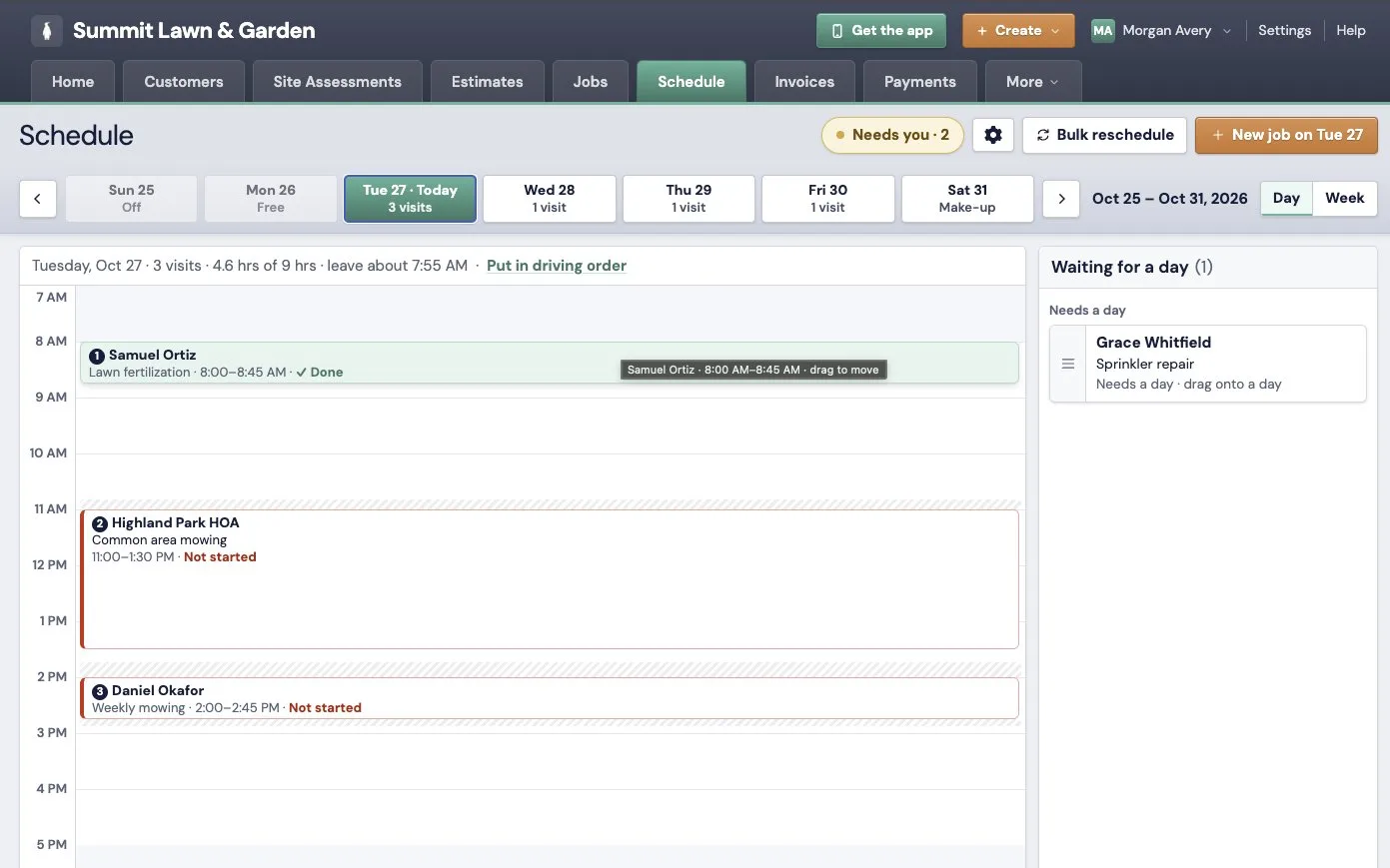

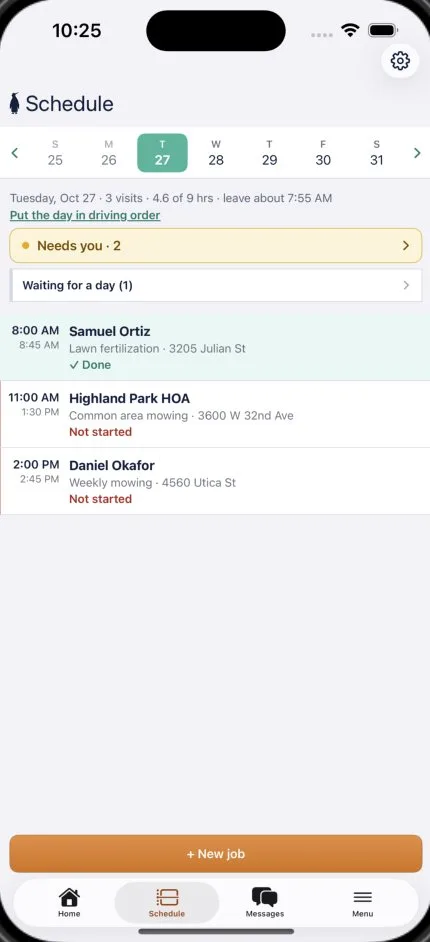
- In the truck The app on iPhone and Android. Your day, in driving order.
- At the kitchen table The full app on a tablet, in the browser.
- At the desk Every screen, full size, on any computer.
Your customers get it too: on iPhone, Android and the web.
One account, every screen.
Just your email to start. $0 a month.
The question you were about to ask
What does it cost?
Free to use.
No software fees. No monthly bill. No charge for each user.
We get paid when you get paid.
Every feature is included from the first day. One-way texting, unlimited in-app messaging and optimized routing too, at no charge. A slow month costs you nothing.
The software bill, every month
Other platforms
By plan and team size
$29 to $699
Service Penguin
Every feature, every user
$0
One-way textingIncluded. No charge.
Unlimited in-app messagingIncluded. No charge.
Optimized routingIncluded. No charge.
With monthly-plan software
- A monthly bill comes whether you worked that month or not.
- Add a helper and the bill goes up.
- More features means a bigger plan.
With Service Penguin
No monthly bill, no charge per user, and every feature included.
Other platforms' prices are from a leading field service platform's own pricing page on October 18, 2026, from the lowest plan billed yearly to the highest plan billed monthly. Card processing is charged on top of each payment. Service Penguin charges one all-in fee on each electronic payment, with card processing, merchant bank fees and interchange included, and nothing else.
Built for pros who do the work at the customer's place
For a business of any size. It scales from a solo part‑timer to the largest multi‑crew operation.
Create your free account ›How it works
Questions pros ask first
- How does Service Penguin work?
- You build the estimate on your phone at the property and send it as a link. The customer approves it on their phone, and the approved estimate becomes the job with nothing retyped. The visits go on the schedule, and when a visit is done the invoice is built from the work. The customer pays in their app, or you take the card at the job with Tap to Pay on iPhone or contactless payments on Android.
- What does Service Penguin cost?
- Nothing a month. Every feature and every user is included. Service Penguin charges one small all-in fee when you take an electronic payment, with card processing, bank and interchange fees included. Recording a cash or check payment is free. The rate is on the pricing page.
- What do I need to run it?
- A phone. The pro app runs on iPhone and Android, with the schedule built in, and the full app runs in a web browser on a tablet or a computer. One account works on all of them. Your customers use their app on iPhone, Android or the web.
- Can my helpers and crews use it?
- Yes, at no charge. Add a team member with a name and a mobile number. Crews have a lead, and helpers see their own visits, never your prices.
- What happens on a rain day?
- Block the day, and every visit in it comes up with the days it fits within your working hours: the soonest open day, or the day your route is already near that address. One button moves them all, then you text each customer their new day.
- Which businesses is it built for?
- Lawn care and outdoor service businesses, from one person with a truck to a business with several crews: lawn and landscape, pressure washing, gutters, pest control and similar trades.
- How long does it take to start?
- Minutes. You start with your email and your business name, and you can send your first estimate the same day. No credit card is needed.
Free to use, no matter your size
Start with your first customer. Still here at your tenth crew.
Set up in minutes. Send your first estimate today.
- $0 a month
- Every feature
- Every user
One person or ten crews: the same app, the same price.